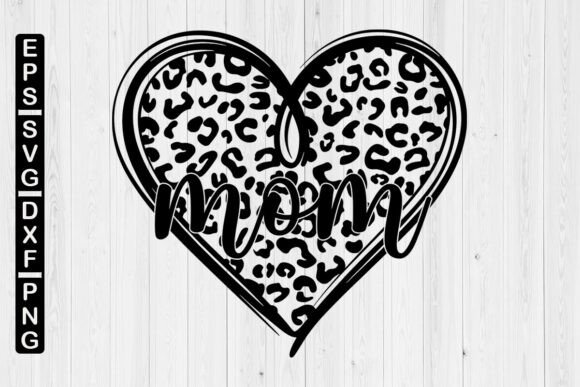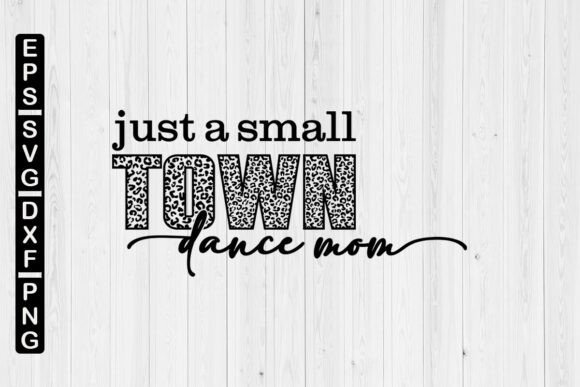
Ultimate Guide to the Dance Mom Leopard SVG: Avoiding Common Crafting Mistakes
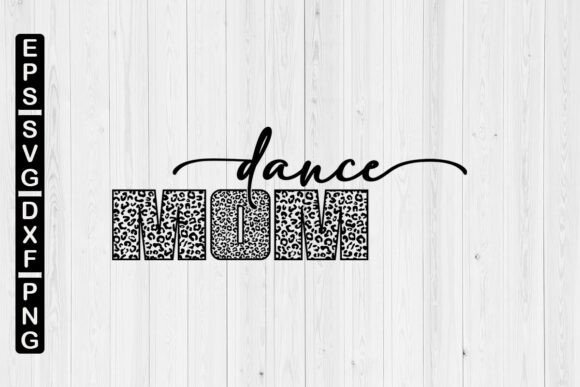
You found the perfect Dance Mom Leopard SVG. It has the fierce leopard print, the dance shoes, and the perfect slogan for your studio star. You click “buy,” the download completes, and then you are staring at a ZIP file. What now?
Whether you are a seasoned crafter making shirts for the entire competition team or a complete beginner trying to personalize a water bottle, the gap between downloading a digital file and holding a finished project is filled with small, avoidable pitfalls. This guide will walk you through the most common mistakes so you can spend less time troubleshooting and more time creating professional-looking gear.
Understanding Exactly What You Purchased
The listing clearly states: “This listing is for an INSTANT DOWNLOAD. It is a digital product therefore you will not receive a physical item.” This one sentence is the source of most confusion. Inside the download, you receive a ZIP file containing an SVG, EPS, PNG, and DXF file.
The biggest mistake beginners make is treating the download like a physical object. You do not need to wait for shipping, but you do need to manage the files properly. If you try to open the ZIP directly inside your cutting software, it will fail. The computer needs to unpack the compressed folder first.
Better approach: Download the file to a laptop or desktop computer. Do not try to unzip it on a phone. Right-click the ZIP folder and select “Extract All.” Choose a dedicated folder named “SVG Projects” or “Dance Designs.” This simple habit saves ten minutes of frustration before your first project even begins.
Mistake 1: Confusing the SVG with the PNG
Your download includes both a SVG and a PNG. These two files serve completely different purposes, and mixing them up is the most common reason a project looks unprofessional.
The PNG file is a high-resolution image. It is perfect for showing a preview of your design, creating social media graphics, or uploading to a print-on-demand site like Printful if you are printing the entire image onto a pillow or poster. However, if you load the PNG into Cricut Design Space or Silhouette Studio and try to cut it, the machine will trace the outline. You will end up with a solid, ugly square of vinyl instead of a layered design.
The SVG file is a vector graphic. It is a mathematical formula that tells the cutting machine exactly where the lines are. This allows you to separate the leopard spots from the background, change the color of the text, and scale the design up to poster size without any loss of quality.
Correction: Always use the SVG file when you are cutting layered vinyl or iron-on (HTV). Use the PNG for printing or mockups only. If the design looks flat or cuts as one block, you likely used the wrong file format.
Mistake 2: Overlooking Critical File Formats
Many users only see the word “SVG” and assume that is the only file they need. While SVG is the standard for Cricut and newer Silhouette machines, the extra files are not filler. They are insurance.
- The EPS file is essential if you ever use Adobe Illustrator, CorelDraw, or another professional vector editing program. It preserves the highest level of vector data.
- The DXF file is a lifesaver for older Silhouette Studio versions (which did not support SVGs natively) and for many laser engraving machines. Safely store these files in your project folder. If you switch machines or upgrade software in five years, you will have exactly the right format waiting for you.
Practical tip: Do not delete any of the four files. Keep them stored together. You paid for a complete set. Use the set properly.
Mistake 3: Ignoring the Commercial Use License
This is where small business owners and side hustlers often trip up. You want to use the Dance Mom Leopard SVG on a shirt to sell to the local dance team. That is commercial use. The listing price typically reflects a specific license.
Many designers offer a standard commercial license which allows you to sell a limited number of finished physical products (usually up to 100 or 200). A few require an extended license for mass production. The mistake is buying the file and assuming you have full rights to print thousands of units or resell the digital file itself.
How to avoid trouble: Before you click “add to cart,” scroll down to the shop’s Terms of Use or FAQ section. Look for the words “Commercial Use.” If it is not listed, send a polite message to the seller. Most are happy to clarify. Respecting the license protects your business from copyright infringement and supports the designer who created the artwork.
Mistake 4: Forgetting to Customize the Layers
A pristine Dance Mom Leopard SVG is a starting point, not a finished product. A common disappointment happens when a new crafter imports the design, presses “Make It,” and cuts the whole design as one solid color.
High-quality SVGs are built with layers. The base background, the leopard spots, and the text are usually separate elements. If you do not “Ungroup” or “Release Compound Path” in your software, you will miss the entire point of vector crafting.
Realistic example: Imagine the design shows a pink shirt with black leopard spots. If you cut it without ungrouping, you get a black blob. The machine thinks the inside of the spots is a hole, but it gets confused.
Better approach: Open the SVG, select the entire design, and look for the “Ungroup” option (often right-click). You should see separate pieces. Now you can assign black vinyl to the spots, pink vinyl to the base, and gold glitter for the text. This is how you get that professional, layered look.
Mistake 5: Scaling Without Thinking About the Medium
The beauty of a vector file is that you can scale it infinitely. The mistake is scaling it poorly. A Dance Mom Leopard SVG designed for a toddler’s t-shirt will look completely different when blown up to fit an adult hoodie.
If you enlarge the design too much, the leopard spots become odd, abstract blobs. If you shrink the text too small, the letters become impossible to weed (removing excess vinyl). The proportions that look perfect on your 13-inch laptop screen look wrong on a 35-inch chest.
Practical advice: Print the PNG version of the design on a standard sheet of paper at the size you are considering. Tape it onto the shirt. Step back. Does the size of the leopard print match the energy of the team? Does the text look balanced? Measure twice, cut once. Adjust the scale in small increments (10%) until it looks right.
Mistake 6: Failing to Properly Store the Files
You make the perfect shirt. Recital season ends. Six months later, a new mom joins the team and begs you to make the same design. You frantically search your hard drive, emails, and download folders. You lost the file.
Digital products are 100% reusable. The mistake is treating a download like a one-time use sticker. You paid for a Dance Mom Leopard SVG. Use it for a shirt today, a tote bag next week, and a matching bow next month.
Solution: Create a top-level folder on your computer or cloud drive called “SVG Library.” Inside, create sub-folders by theme (e.g., “Dance,” “Leopard,” “Sports”). Immediately save the extracted ZIP and the unzipped files into the correct folder. This organization system takes one minute and saves you an hour of searching later.
Mistake 7: Ignoring the “Favorite” Request
The seller politely asks you to “FAVORITE” our store or listings so you can find us again. This is not just advertising. It is a practical tool that works in your favor.
When you favorite a shop or listing on platforms like Etsy, it creates a bookmarked gallery. If the shop releases coordinating items—like a “Dance Mom” banner, a “Leopard” monogram, or a matching bow template—you will be the first to see it. Instead of hunting through your emails for that one purchase receipt, you simply check your favorites list.
Better approach: If you like the design, click the heart icon. It takes two seconds. It makes the algorithm happier, and more importantly, it makes your future craft shopping infinitely easier. You will never lose that perfect design again.
What to Check Before You Click “Add to Cart”
Before you finalize your purchase, do a quick mental checklist to ensure a smooth crafting experience.
- File Types: Does the listing include the SVG and DXF formats? (Yes, for this product).
- License: Can you use it for your intended purpose (personal gift, small business sales)?
- Software: Do you know how to ungroup and manipulate layers in your design software?
- Delivery Method: Are you ready to download immediately and save the files to a safe location?
Checking these points mentally aligns your expectations with the reality of the digital product. It prevents the dreaded feeling of being stuck with a file you cannot use.
Making the Design Your Own
The best crafters understand that a digital design is raw material. The Dance Mom Leopard SVG is your starting point. Change the colors of the leopard spots to match the studio’s team colors. Swap the text to say “Studio Mom” or “Competition Queen.” Use the base shape to create a matching decal for the car.
Do not be afraid to experiment. If you accidentally ruin a cut, you still have the original SVG file safe in your library. You can always go back and try again. The joy of an instant download is that the creative potential is endless and immediately available.
By understanding the difference between the file formats, respecting the commercial license, and taking the time to organize your digital assets, you will elevate your crafting from a simple hobby to a professional operation. Happy creating, and do not forget to favorite the store so you can find this perfect design for your next project.